
Why Deposit with BSP?
Bank South Pacific (BSP) is one of the most common banking options for PNG players. With ROARBET88, you can transfer using your phone through the BSP App or USSD (*131#). It’s convenient, works in PGK, and makes it easy to keep your play funds separate from daily spending.
How to Deposit via BSP (6 Steps)
Follow the steps in order. Tap a screenshot to view it full-size in a new tab.
-
1. Open the Deposit screen
Log in to your ROARBET88 account, then open the Deposit option from the homepage menu or wallet area.
- If the page looks different than usual, stop and check you’re on the official site.
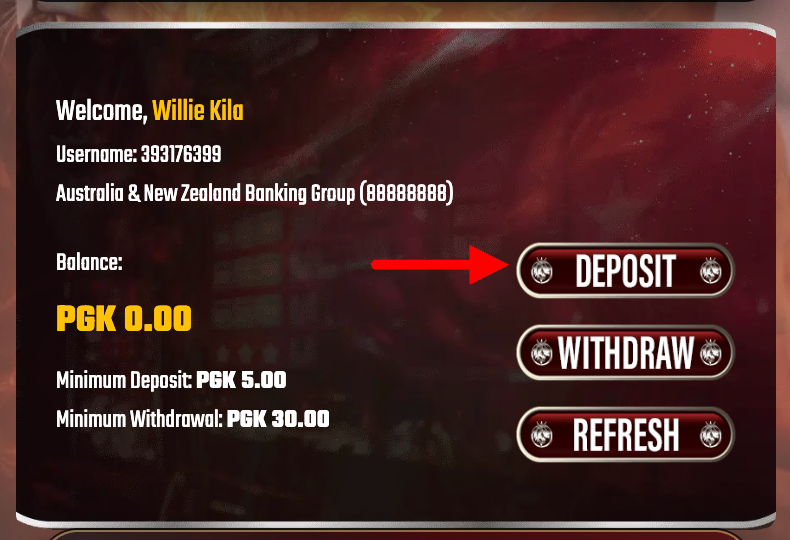 Screenshot: Open Deposit from the main menu.
 -
2. Select BSP / Bank Transfer
In the deposit methods list, choose BSP (or Bank Transfer if that’s the label). This will show the details you need.
- Use the method that matches your bank app to avoid delays.
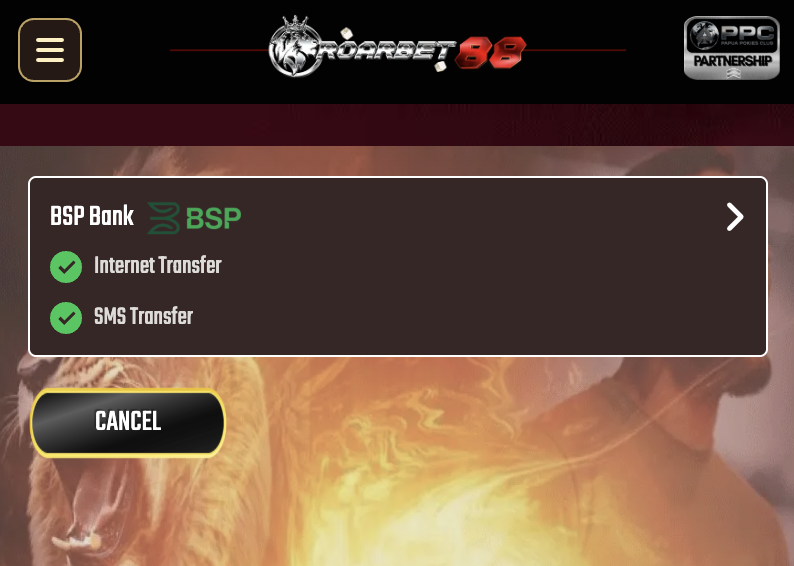 Screenshot: Choose your deposit method.
 -
3. Enter your deposit amount
Type the amount you want to deposit (PGK). Double-check the number before continuing—your request should match what you actually transfer.
- If there’s a minimum, the deposit page will show it.
- For quicker matching, avoid sending random cents—use clean amounts (e.g., K20, K50, K100).
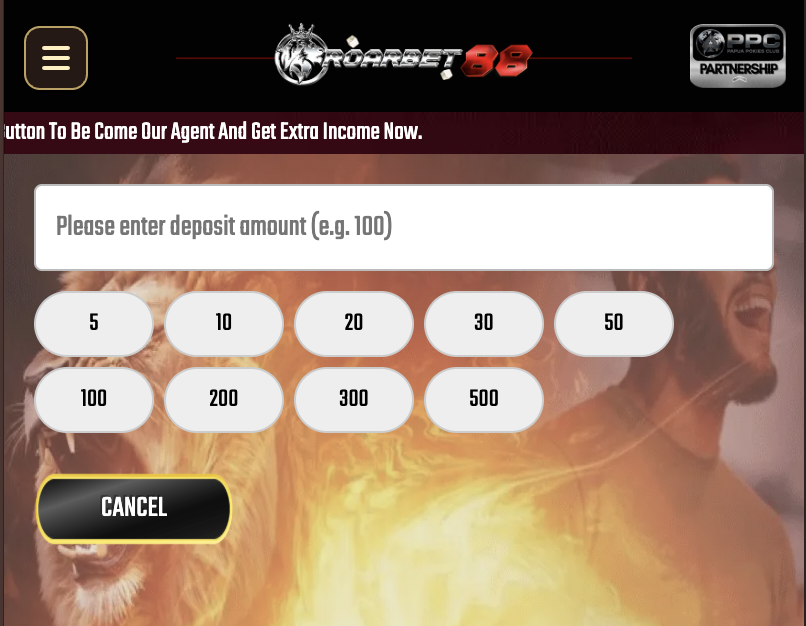 Screenshot: Fill in the deposit amount.
 -
4. Transfer using BSP App or *131#
The deposit page will display the account information (Account Name + Account Number / reference). Copy it carefully, then complete the transfer in your BSP Mobile App or by dialing *131#.
Quick tip: If the deposit page refreshes, re-copy the details—don’t reuse old screenshots or old account numbers.- Make sure the recipient details match what’s shown on the deposit page.
- Keep your transaction reference clean and readable if you’re asked to add one.
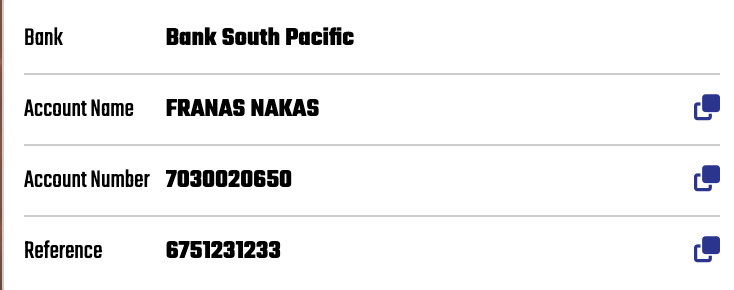 Screenshot: Copy the bank details and complete the transfer in BSP.
 -
5. Upload your payment proof
After sending, save your confirmation screen (screenshot) or receipt. Then upload it on the ROARBET88 deposit form. Clear images help the team verify faster.
- Make sure the amount and time are visible in your screenshot.
- Don’t crop out the transaction status (successful/complete).
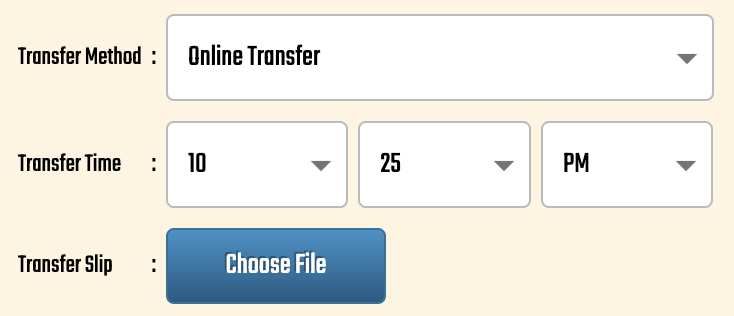 Screenshot: Upload your receipt/screenshot for verification.
 -
6. Submit the request and wait for credit
Enter the exact deposited amount, attach your receipt, then tap Submit. Your deposit will be reviewed and credited as soon as it’s confirmed.
- If it’s taking too long, contact Live Chat with your receipt ready.
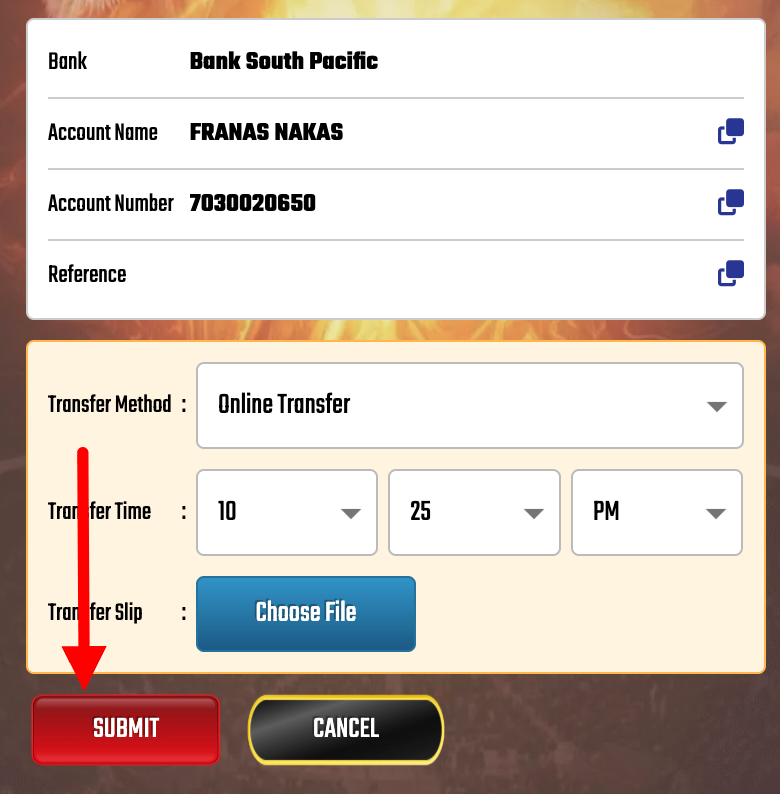 Screenshot: Submit the form to complete your deposit request.
Safety & Scam Prevention
Protect your money by following these rules:
- Official App Only: Only deposit through the ROARBET88 website/app. Never send money to personal accounts on Facebook/WhatsApp. Avoid payment scams.
- Consistent Details: Ensure your registered name matches your bank account name.
- Check Limits: Be aware of daily banking limits. BSP withdrawal limits info.
Deposit FAQs
Why is my deposit pending?
Deposits may be verified manually for security. If it takes longer than 30 minutes, contact Live Chat and provide your receipt screenshot.
What is the minimum deposit?
The minimum deposit is usually K10 or K20. Check the deposit page for the most up-to-date limits.